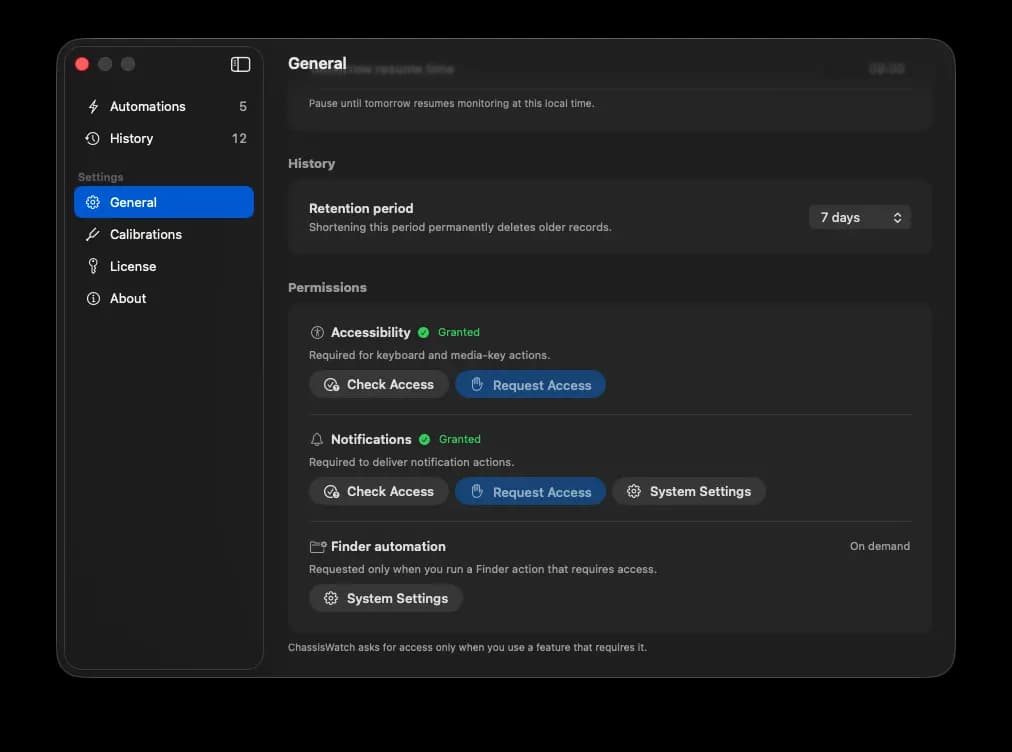
How to Grant Accessibility Permission
ChassisWatch only needs Accessibility access for two action types: Press Keyboard Shortcut and the media key actions (Play/Pause, Next Track, Previous Track). Every other action works without it.
- Enable or test an automation that uses one of those actions. ChassisWatch will show an explanation before asking macOS for access.
- Click Continue. macOS opens System Settings to Privacy & Security > Accessibility.
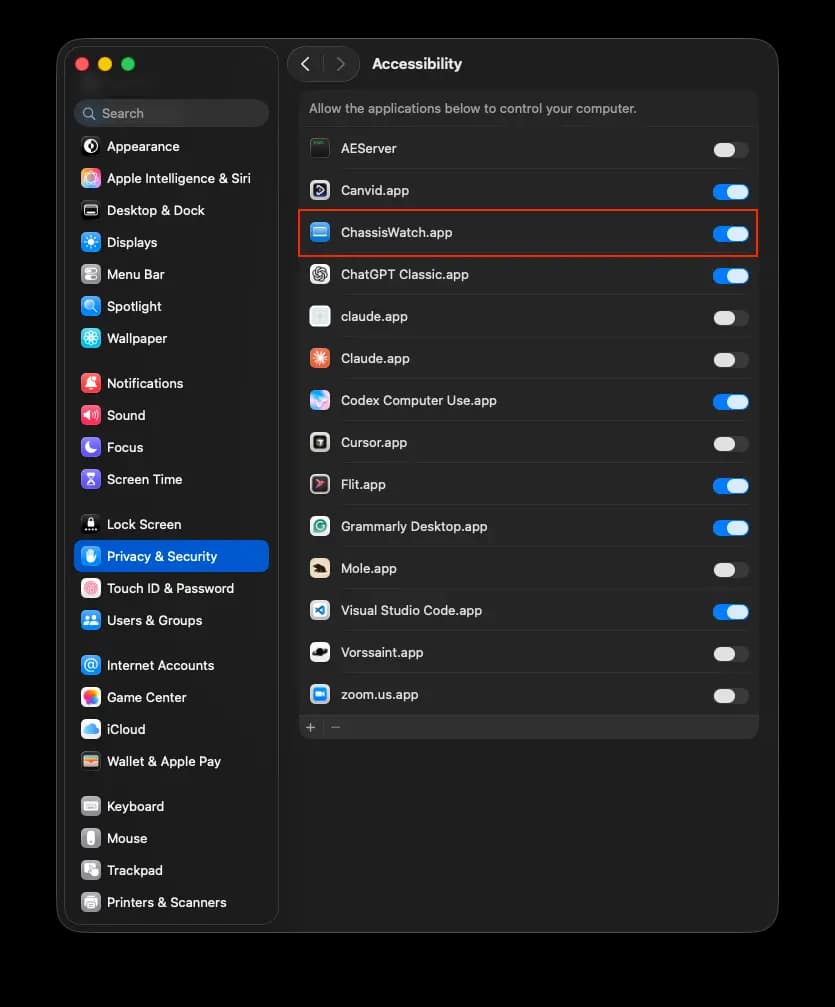
- Turn on the switch next to ChassisWatch.
- If the app is not listed yet, click the + button, locate ChassisWatch in Applications, and add it.
- Come back to ChassisWatch. No restart is required.
You can check the current status of every permission at any time in Settings > General, under Permissions. From there you can request access again or jump straight to the right System Settings pane.